Azure Notes
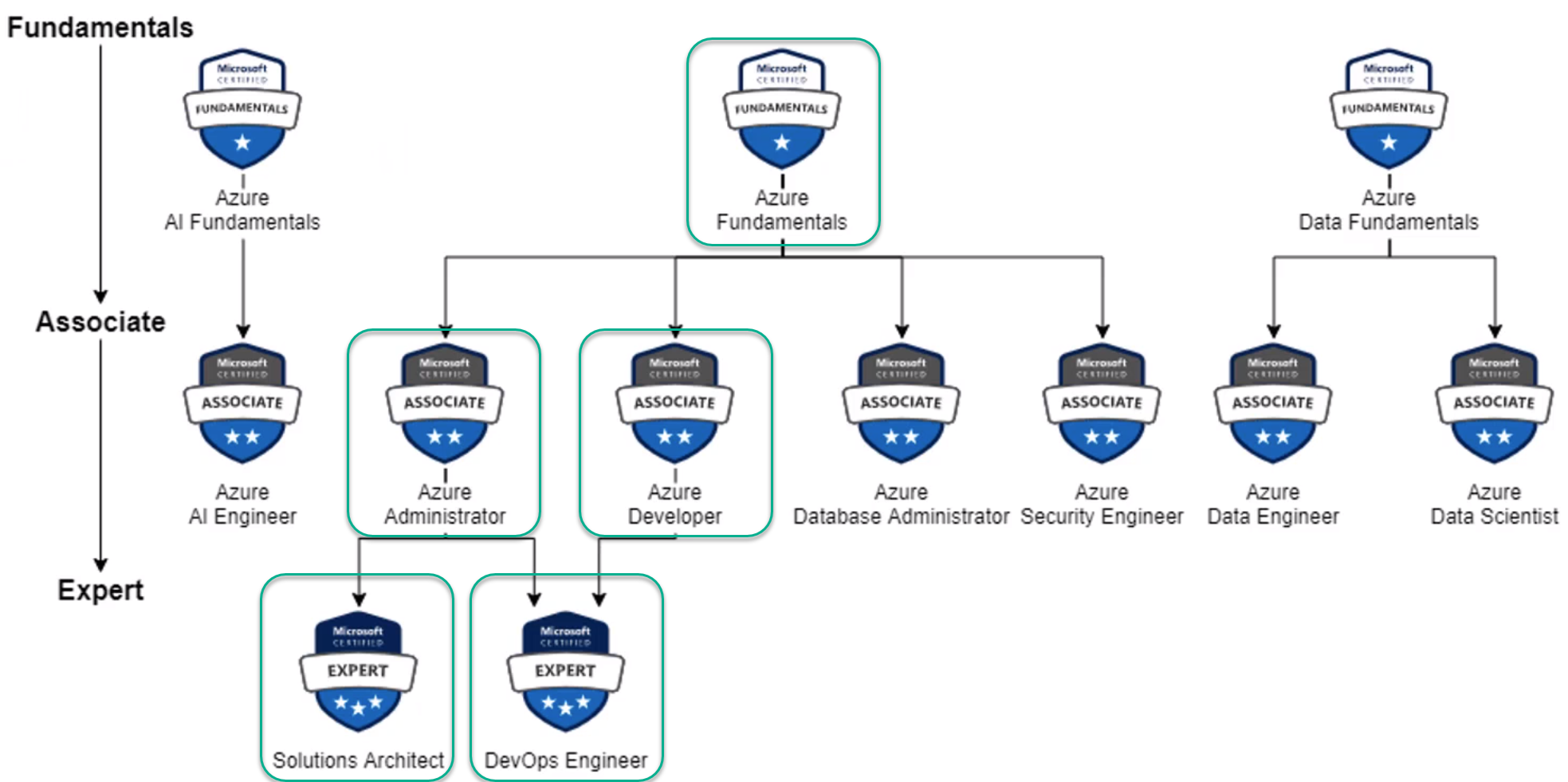
1. Recommended Certifications
-
Azure Fundamentals
-
Azure Administrator
-
Azure Developer
-
Solutions Architect
-
DevOps Engineer
-
-
3. Regions / Zones
3.1. Region: Specific geographical location to host resources.
-
Advantages.
-
High Availability.
-
Low Latency.
-
Global Footprint.
-
Adherance to government regulations.
-
3.2. Availability Zones: One or more discrete data centers.
-
Each Availability Zone features:
-
Independent network.
-
Independent redundant power.
-
Independent cooling.
-
-
Advantages
-
All AZ's in a Region are connected through low-latency links.
-
Increased fault tolerence within a region.
-
-
Note:
-
Some Regions do not have Availability Zones.
-
Regions have at most 3 Availability Zones.
-
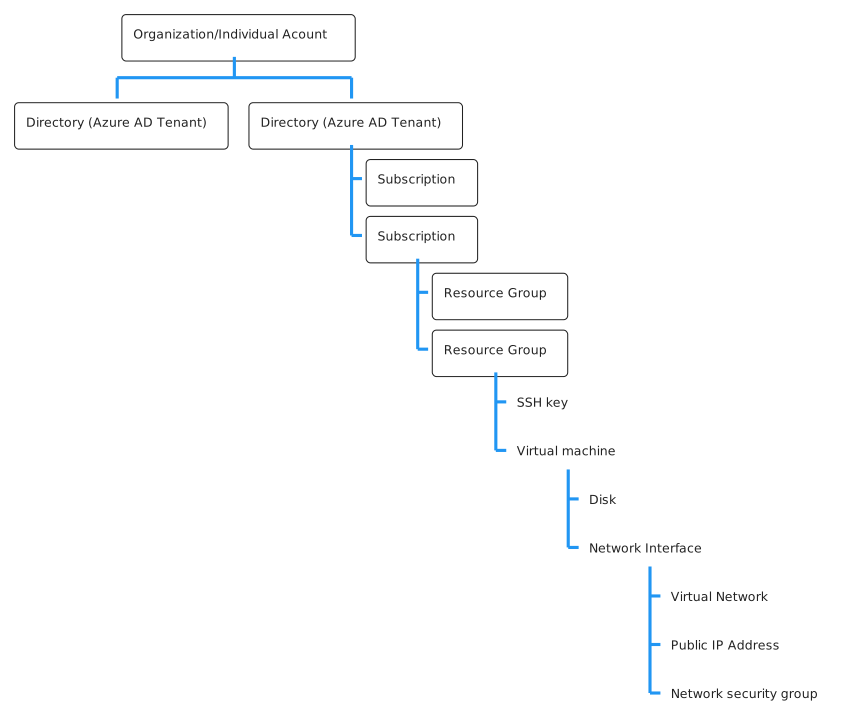
4. Resource Group
-
Contains the following:
-
Virtual machine
-
Public IP address
-
Network security group
-
Virtual Network
-
Network Interface
-
SSH key
-
Disk
-
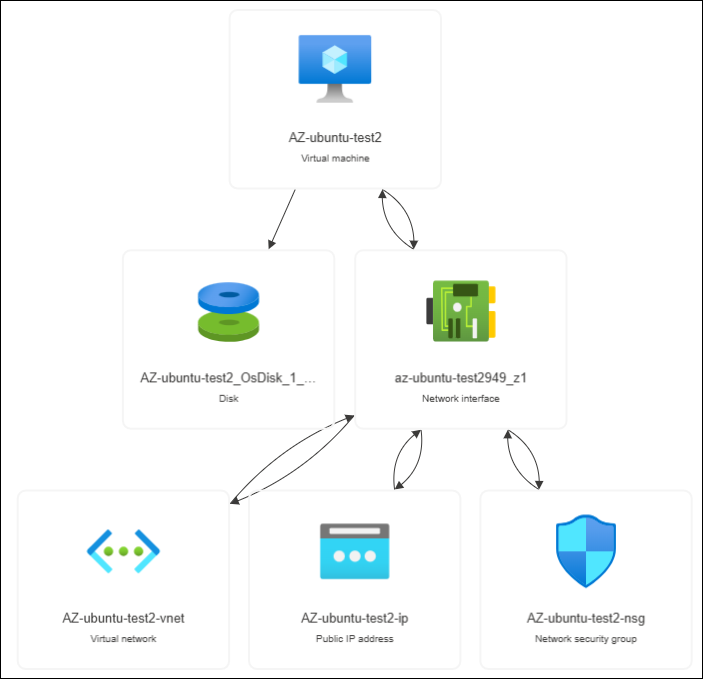
An example Resource Group visualized via the Resource visualizer:
Click to see an Example Resource Group visualized
5. VMs
5.1. Availability Set
-
A logical grouping of VMs accross both
Fault domainsandUpdate domains-
Fault Domain - Group of VMs that share a common power source and network switch.
-
Update Domain - Group of VMs that are rebooted at the same time.
Example: For 10 VMs create an Availability Set with 2Fault Domainsand 5Update Domains.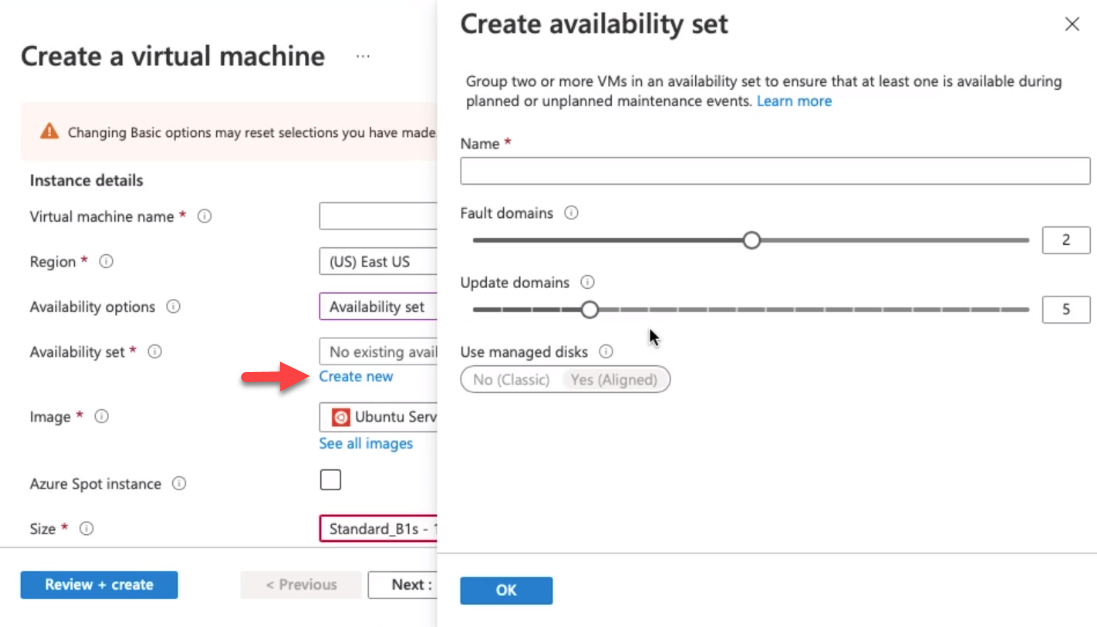
-