EF Core Notes
1. Reverse Engineer DB (Comand Line Method)
-
This is the command line version.
-
Microsoft doc is here.
-
Right mouse click on the project and launch the
Open In Terminalconsole window. -
You may need to first adjust
NuGetpackage sources so that the downloads will succeed.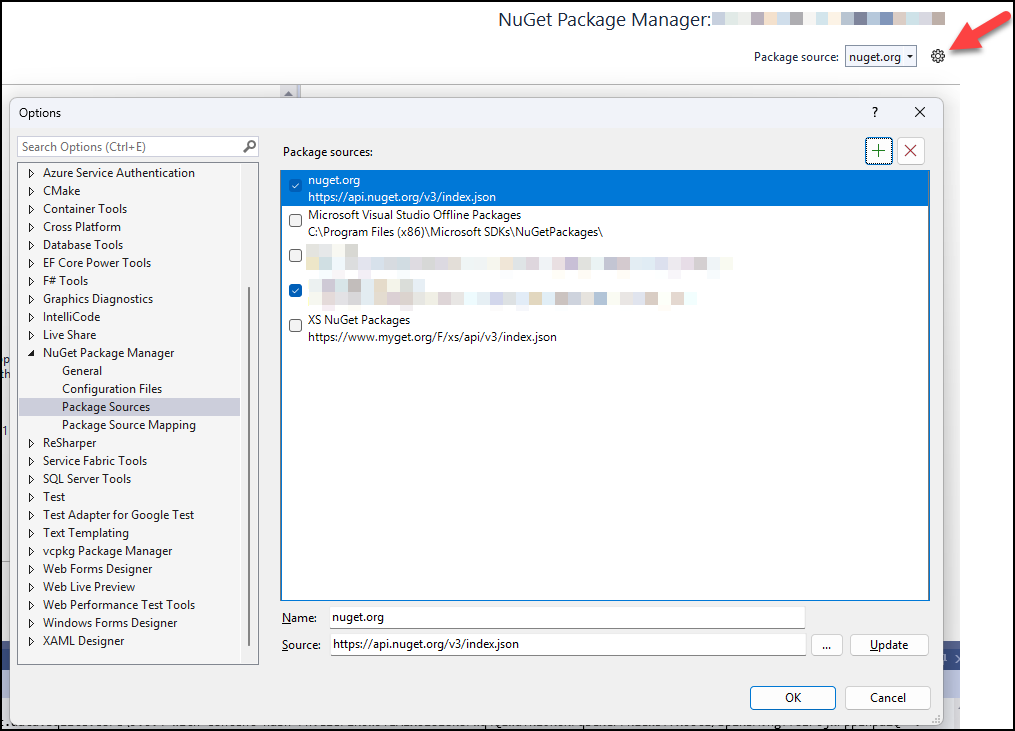
-
Install
EF Core Tools. Doc is here.dotnet tool install --global dotnet-ef -
Confirm installation
dotnet efExample output_/\__ ---==/ \\ ___ ___ |. \|\ | __|| __| | ) \\\ | _| | _| \_/ | //|\\ |___||_| / \\\/\\ Entity Framework Core .NET Command-line Tools 9.0.2 -
Install
EFpackages:Exampledotnet add package Microsoft.EntityFrameworkCore-
Microsoft.EntityFrameworkCore
-
Microsoft.EntityFrameworkCore.Design
-
Microsoft.EntityFrameworkCore.SqlServer (for MSSQLServer DB)
-
Microsoft.EntityFrameworkCore.Sqlite (for SQLite DB)
-
Microsoft.EntityFrameworkCore.OleDb (for Excel)
-
Oracle.EntityFrameworkCore (for Oracle DB)
-
-
Run one of the following to Scaffold a DB:
Example forSQL Serverdotnet ef DBContext scaffold "Data Source=p-ubuntu-norco\sqlexpress,1285;database=repository;TrustServerCertificate=True;User Id=<UserID>;Password=<Password>;" Microsoft.EntityFrameworkCore.SqlServer --context-dir DBContext --context <context name>Context --output-dir DBModels --use-database-names --no-onconfiguring --no-build --force (1)Example forSQL Litedotnet ef DBContext scaffold "Data Source=C:\Users\mattosd\Downloads\Portal_DB.db" Microsoft.EntityFrameworkCore.Sqlite --context-dir DBContext --context <context name>Context --output-dir DBModels --use-database-names --no-onconfiguring --no-build --force (1)1 Replace <context name> with a name for the DBContext e.g., database name -
To use a
trusted connection:RemoveUser Id=<UserID>;Password=<Password>;Replace withTrusted_Connection=True; -
To specify individual Table(s), add:
--table <table name> --table <table name 2>
-
2. Reverse Engineer DB (Gui Method)
2.1. Download
You’ll need to shutdown all instances of Visual Studio before installing the following:
|
-
Download from here and then run the
EF_Core_Power_Tools_v2.6.xxx.vsixinstaller. -
Download from here and then run the
EF_Core_Power_Pack_v2.6.xxx.vsixinstaller. -
Download from here and then run the
Oracle.VsDevTools.17.0.vsixinstaller. -
Download from here and then run the
MermaidEditor.vsixinstaller.