Opswise Windows Agent Install
1. Synopsis
-
This document describes the setup procedure for installing an Opswise Agent on Windows.
-
All step should be performed on the target Windows host.
-
Full instructions can be found here.
-
If installing a second Agent on a host with an already existing agent, instructions for a user mode installation are here.
2. Prep
-
Download the Windows Agent
-
Log on to the
Software Downloadssection of the StoneBranch Portal. -
From here a link is available for
Universal Agentdownloads:Look for a file named: sb-7.x.x.x-windows-x64.exe
For user mode installations, look forsb-7.x.x.x-windows-x64-um.exe
-
3. Install
-
Execute the
sb-7.6.0.0-windows-x64.exeexecutable. -
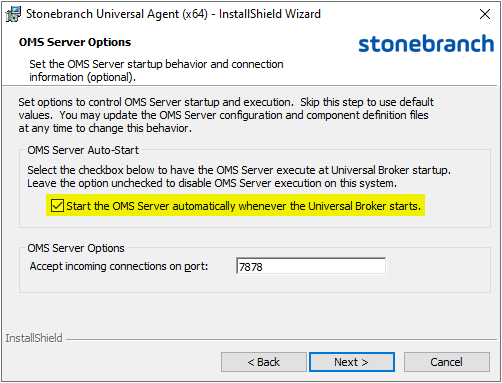
Only a server where you want to run the OMS Service (most likely the on the server hosting the Controller), allow the OMS server to start up automatically
-
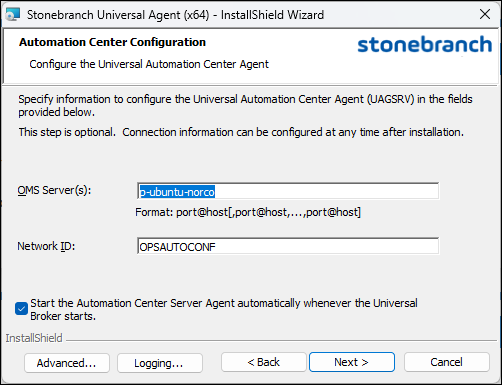
Configure the remote OMS server.
4. Post Install
4.1. Set the OMS Server Message Database
-
Original doc can be found here.
-
When installing on a server that hosts the Opswise Controller:
-
Launch the Universal Configuration Manager
-
Via
File ExploreropenC:\Program Files\Universal\UCfgMgr\bin -
Run the
ucfgmgr.cplControl Panel Item as an administrator.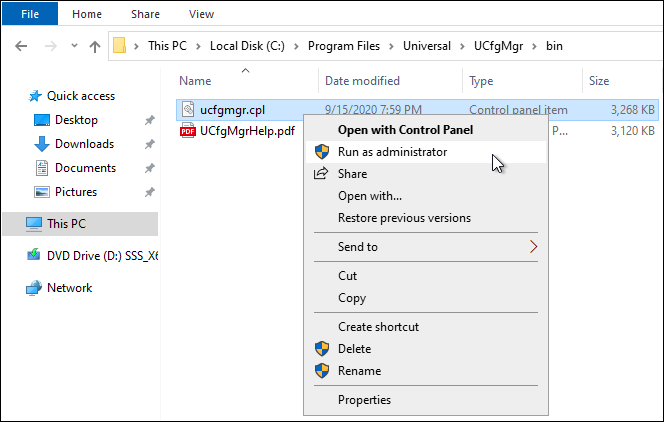
-
-
Update the
Spool File DirectoryIf using a network path, it should be reachable and writeable by all
OMSServers.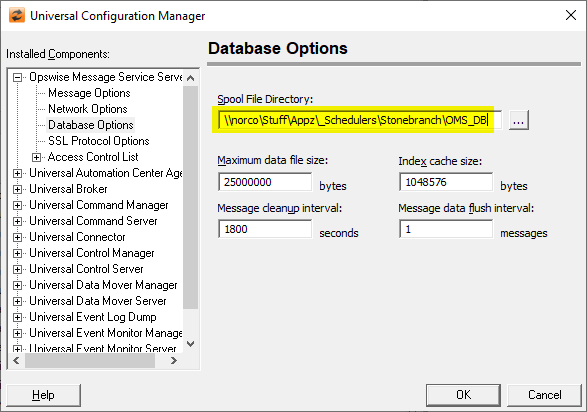
-
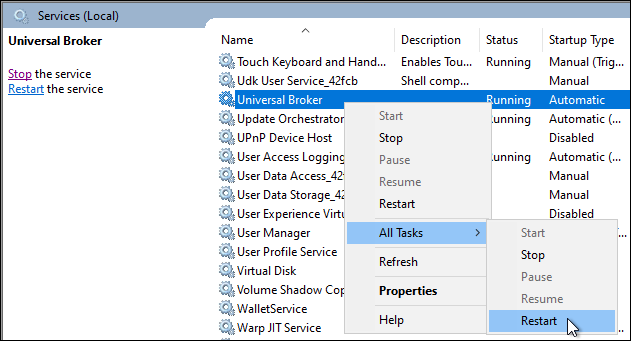
Now restart the Universal Broker Service
-