Poste.IO Mail Server Notes
Table of Contents
2. Config
-
Full documentation is here
2.1. Smart Host Config
-
Log in to the admin web interface as the admin.
-
In the left hand menu, click System Settings.
-
Click the Email processing tab.
-
Configure like the following:
Example using ReachMail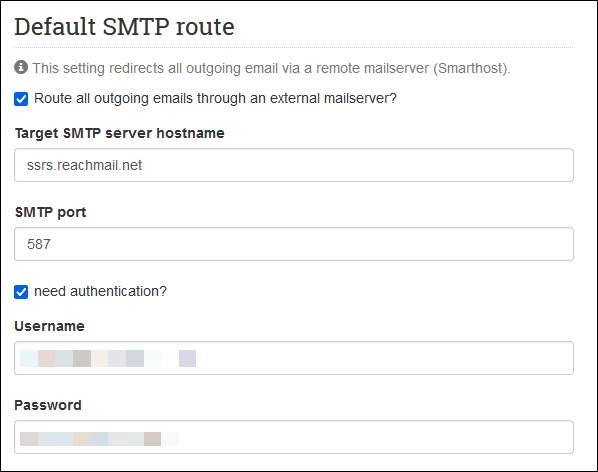
3. Web Mail
-
Log into the webmail client interface