Sonarr Guide

1. Import Existing Media

  • Configure Media directory for import:

    Import Media
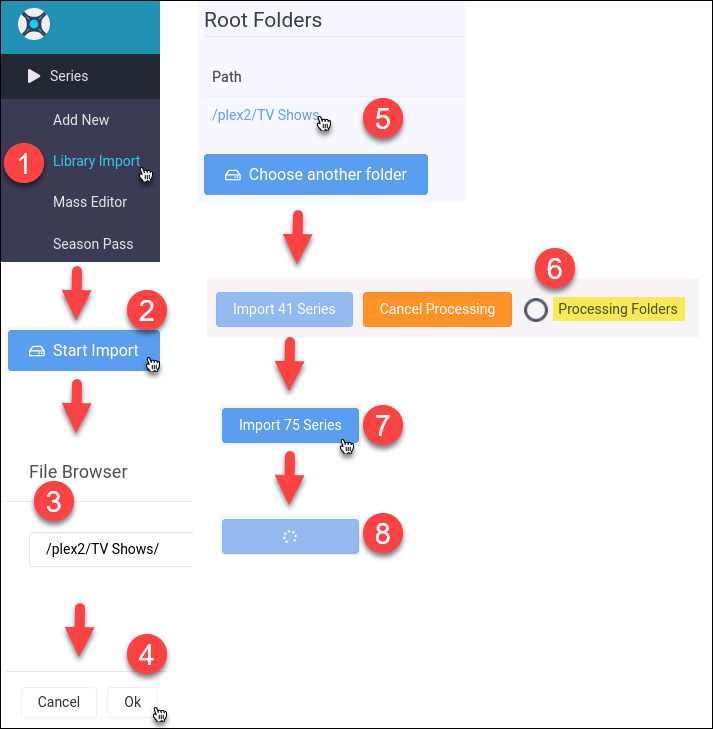
    Sonarr-Import-Media

    1. Click the Series menu item.

    2. Click the Library Import menu item.

    3. Click Start Import.

    4. Choose a media folder.

    5. Click Ok

    6. Click on the media folder path.

    7. Media files will be searched in the folder and sub-folders.

    8. When the Import xx Series button appears, click it to start the import

    9. Import in process

2. Configuration

2.1. Configure an Indexer

  • We wont configure an indexer but will configure this as a Prowlarr app.
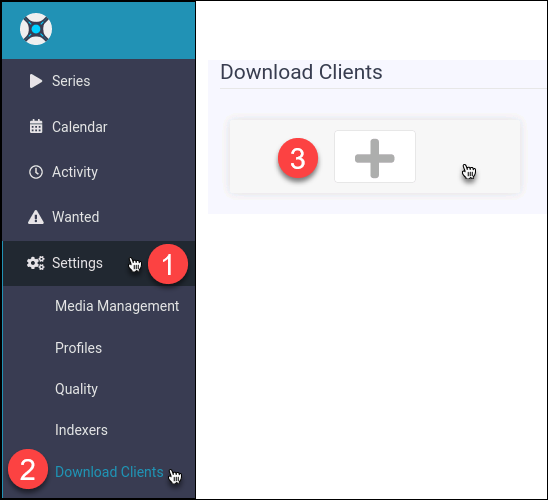
2.2. Configure a Download Client

  • We’ll configure for qBittorrent as an example.

    Configure

    + Sonar-Download-Client-Config-Start

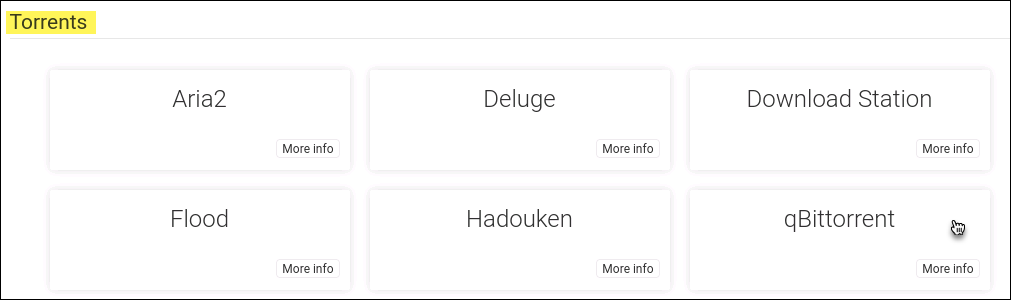
    1. Select qBittorrent

      Sonar-Download-Client-Select-qB

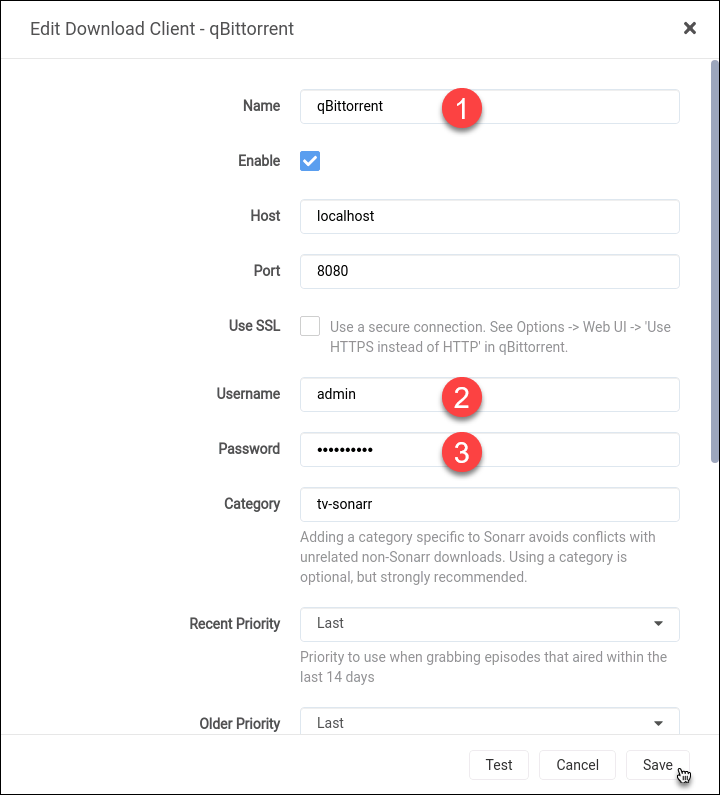
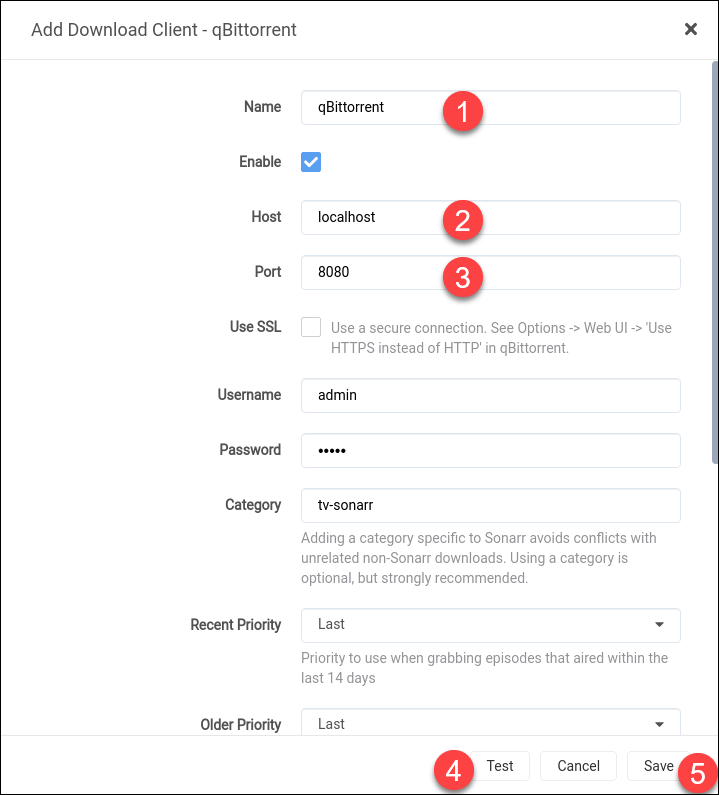
    2. Configure settings for qBittorrent

      Sonar-Download-Client-Config-qB

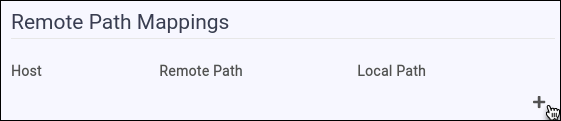
    3. Add download path for qBittorrent

      Sonar-Download-Client-Config-qB-path-add

    4. Configure download path for qBittorrent

      Sonar-Download-Client-Config-qB-path

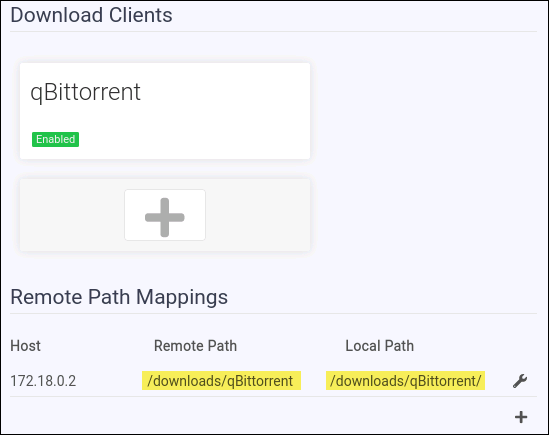
    5. qBittorrent Client download path complete

      Sonar-Download-Client-Config-qB-path-done