Git Install
Table of Contents
1. Prerequisites
1.1. Install Notepad++
-
Refer here to Notepad++ Install.
2. GIT Install
-
Download the latest git for Windows.
-
Install with all defaults except in the following:
-
Select Notepad++ as the
default editor.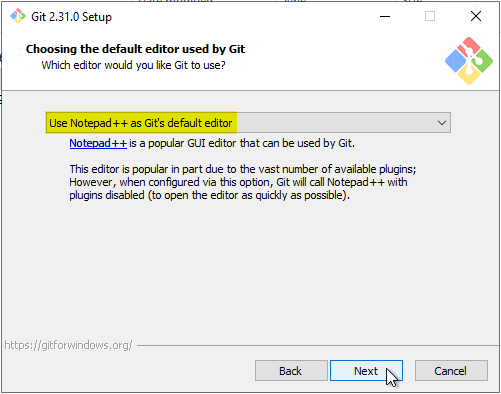
-
3. Post Install
-
Change Username and Password.
-
Run the following within a
gitbashwindow to globally drop your current creds:Windowsgit config --global credential.helper wincredLinuxgit config --global credential.helper store -
Now when you attempt to upload/download, the credential manager window will request your credentials.
-
-
Set your username and email globally:
-
Run the following within a
gitbashwindow:Set username git.git config --global user.name "Someone"Set email for git.git config --global user.email "someone@gmail.com" -
Confirm with:
git config --list --show-originSample resultfile:/home/mattosd/.gitconfig user.name=Someone file:/home/mattosd/.gitconfig user.email=someone@gmail.com
-