Windows Notes
Table of Contents
1. Windows Command-Line Reference
-
Official Microsoft reference doc.
1.1. Search for Text in a File Directory
-
Official Microsoft doc.
-
To search for a specific string within files in a directory:
-
launch a CMD prompt window
-
Run the following
findstr /R /S "search string" "c:\temp\*"
-
2. Configure Firewall
-
Full document here
-
Launch an elevated CMD prompt window.
-
Run the
netshcommand. -
In this example we are configuring a new rule named
MSSQLfor port1285.netsh advfirewall firewall add rule name = MSSQL dir = in protocol = tcp action = allow localport = 1285 remoteip = localsubnet profile = DOMAIN
3. Changing Path for Service
The following is the command to change the path:
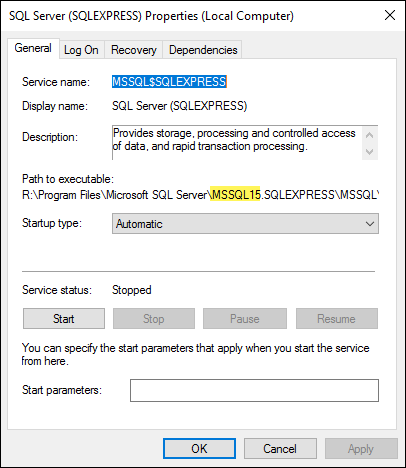
sc config {service name} binPath= {binary path}As an example, suppose we wanted to change the SQL Server path which is currently at MSSQL13 to MSSQL15.
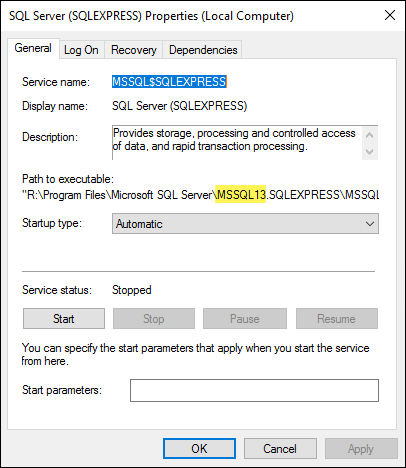
We would execute the following with the updated path:
sc config MSSQL$SQLEXPRESS binPath="R:\Program Files\Microsoft SQL Server\MSSQL15.SQLEXPRESS\MSSQL\Binn\sqlservr.exe" (1)

[SC] ChangeServiceConfig SUCCESS (2)| 1 | Excute this command. |
| 2 | Command result. |
Now we see that the service has been updated: