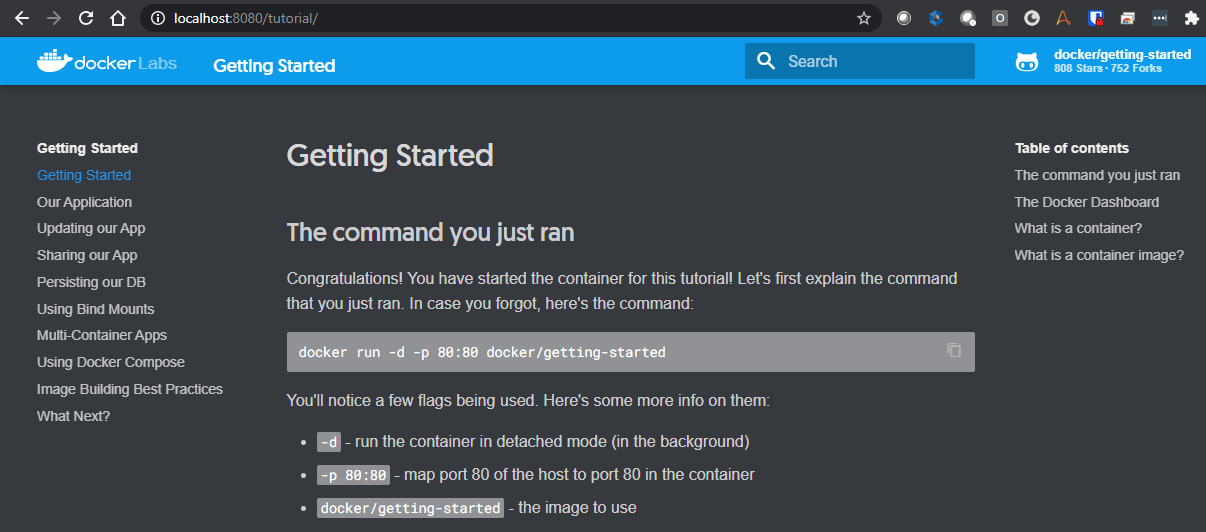
Docker Image: Getting-Started
In this example we will:
-
Pull the docker/getting-started Docker image. This image was created by the Docker team and contains a Docker related tutorial.
-
Start a container based on that image.
-
Browse to the tutorial website that’s running within the container.
-
Get the image:
docker pull docker/getting-started Using default tag: latest latest: Pulling from docker/getting-started ba3557a56b15: Pull complete bbaa3642d0a3: Pull complete Digest: sha256:67944b53f8a7d16b3d9909315f9d557ade12c4ee4083cd98068f9fe6d9995808 Status: Downloaded newer image for docker/getting-started:latest docker.io/docker/getting-started:latest -
Show downloaded images:
docker images REPOSITORY TAG IMAGE ID CREATED SIZE camunda/camunda-bpm-platform run-latest c1b49a5b4227 10 days ago 243MB stonebranch/universal-agent latest eca81e31c6a3 11 days ago 1.53GB docker/getting-started latest 3ba8f2ff0727 4 weeks ago 27.9MB -
Start a detached container based on the
docker/getting-startedimage with a friendly name of DockerGettingStarted:docker run -d -p 8080:80 --name DockerGettingStarted docker/getting-started (1) 7cfc533dbed68969815742fb00359f6f4f88c61b943510fab46fef18301405201 The -p option is redirecting the host’s local port 8080 to the container’s port 80 -
Show the running container process:
docker ps --all CONTAINER ID IMAGE COMMAND CREATED STATUS PORTS NAMES 7cfc533dbed6 docker/getting-started "/docker-entrypoint.…" 34 seconds ago Up 33 seconds 0.0.0.0:8080->80/tcp DockerGettingStarted -
Show the container’s memory/CPU usage in real-time.
docker stats CONTAINER ID NAME CPU % MEM USAGE / LIMIT MEM % NET I/O BLOCK I/O PIDS 7cfc533dbed6 DockerGettingStarted 0.00% 8.496MiB / 12.42GiB 0.07% 976B / 0B 0B / 0B 9 -
Browse to the containers web page
http://localhost:8080