Windows Desktop - Windows 11 VM Install
Table of Contents
1. Requirements
-
A
Windows 11 Desktop VMshares some of the requirements of a physical desktop.Property Value Processor
At least 2 cores
Storage
At least 64GB
RAM
At least 4 GBs
System firmware
UEFI, Secure Boot capable
TPM
Trusted Platform Module (TPM) version 2.0
-
The VM will need to be configured to emulate those requirements.
2. Configuration
-
Set up the following via the
New Virtual Machine Wizard.-
Configure for UEFI:
UEFI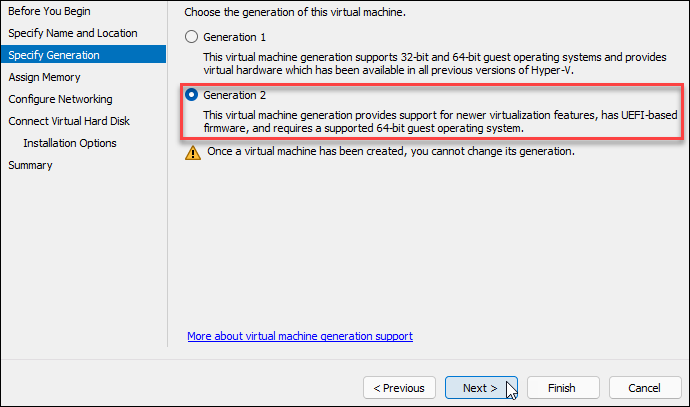
-
Configure 4GB of Ram:
4GB of Ram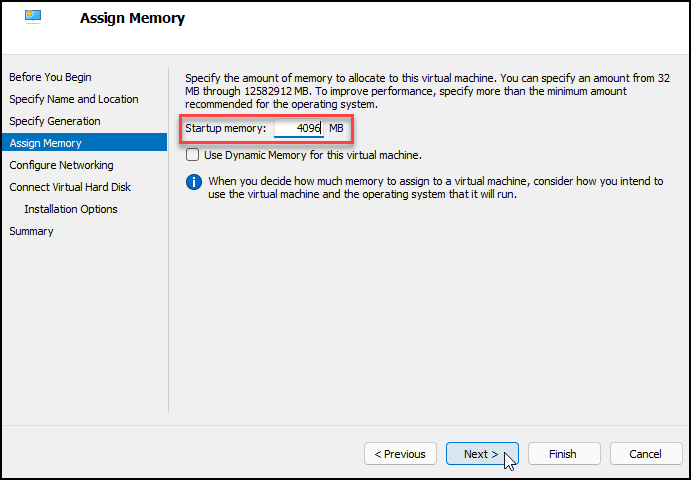
-
Configure 64GB of Storage:
64GB of Storage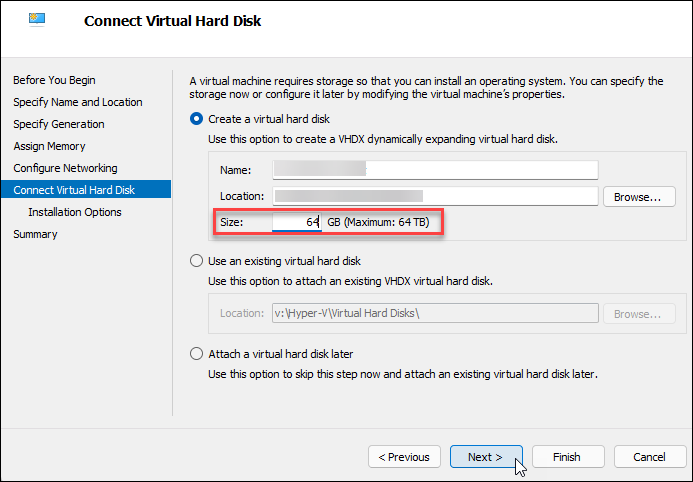
-
-
Now edit the settings:
-
Enable TPM
TPM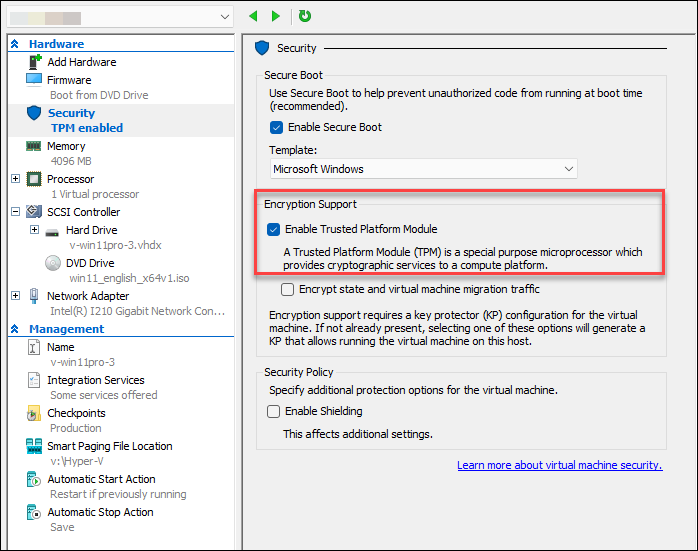
-
Adjust Virtual Processors:
CPU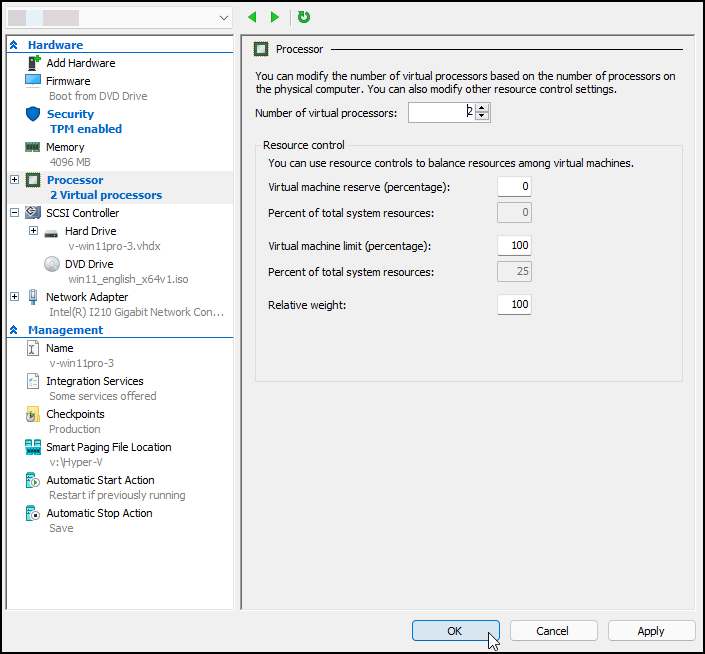
-
-
Now you can continue with the install of Windows 11 on the new VM.